FontTester
Compares the fonts installed on your own machine, side by side, in your own text.

Choosing a typeface means seeing your words in it, at your size, next to the alternatives. Font specimen sites show someone else’s sentence in someone else’s layout, and the fonts you are actually allowed to use are the ones already on the machine.
- Year
- 2026
- Role
- Design & engineering
- Type
- A web page, not a plugin
- Needs
- Chrome or Edge, on a desktop
Theproblem
There is no decent way to compare the fonts you have. You switch a dropdown, forget what the last one looked like, switch back, and end up choosing on the strength of the one you saw most recently. Meanwhile the specimen sites are showing you a pangram at a size you will never set.
WhatIdid
The browser has to be asked first
Reading the list of installed fonts is a permission, and the prompt belongs to the browser rather than to the page. So the page opens on one button, says what it is about to ask for and what it will not do with it, and gets out of the way. Refusing leaves a page that still works: you lose the local half and keep everything else.
Your words, in all of them, at once
Type a line and every selected face renders it, stacked down the page, updating as you type. The size runs off one slider for all of them together, because the decision changes with it: a face that carries a headline at forty is often unreadable at fourteen, and the only way to know is to move the number and watch all the candidates move with it.
What you own and what you could, in one list
Local families and the whole Google library sit in the same list, tagged by where they came from, filterable when you already know which half you are in. A Google face is only fetched when you click it, so listing two thousand of them costs nothing. The shortlist at the end of choosing a typeface is usually one of each, and putting them in separate places is what makes that comparison never happen.
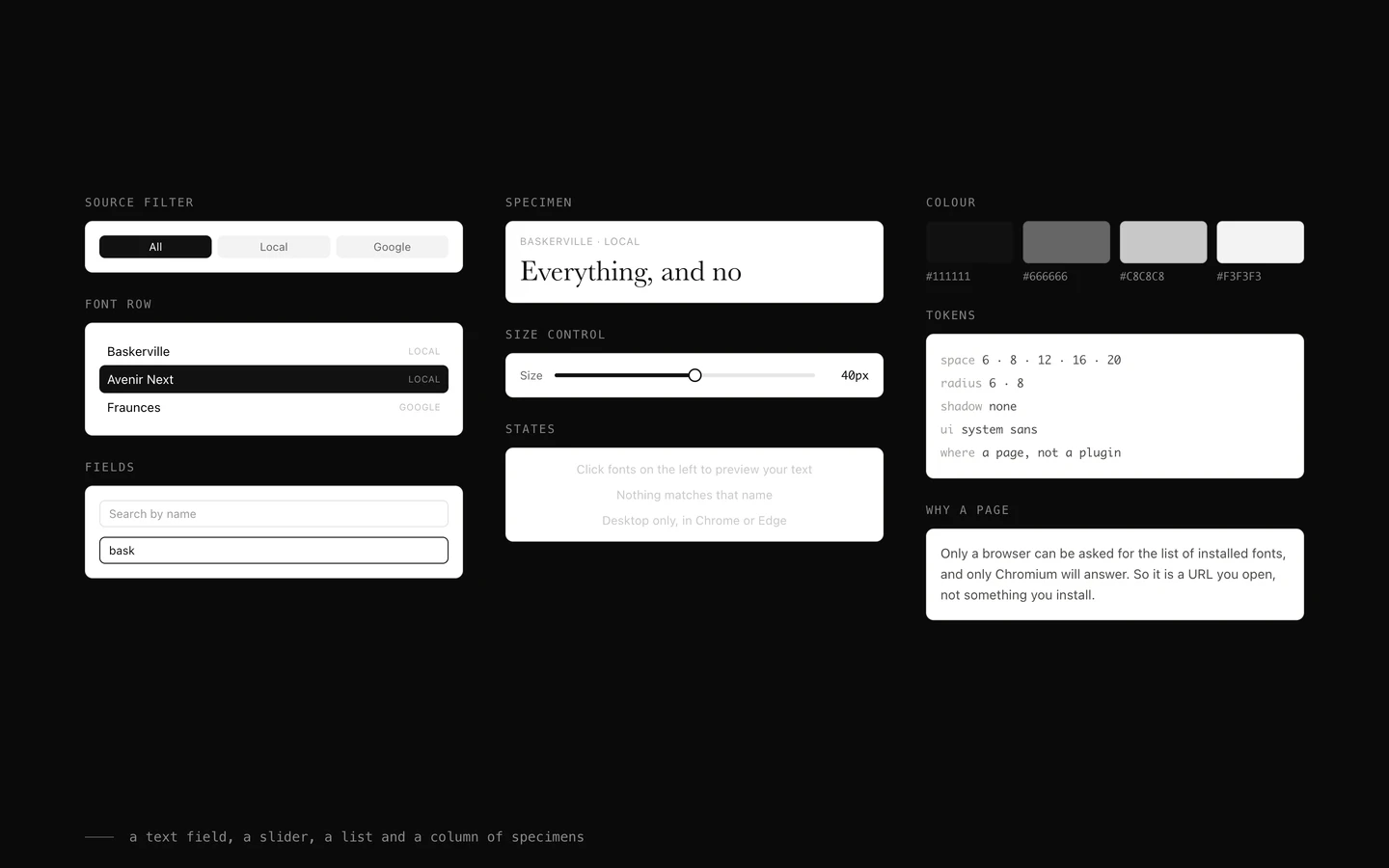
A text field, a slider, a list and a column of specimens
There is nothing else on the page and nothing to set up. It is a URL rather than something to install, because only a browser can be asked for the list of installed fonts, and it says up front that it wants Chrome or Edge on a desktop instead of failing quietly on a phone.
Underthehood
One API decided the whole shape of this
The list of installed fonts is only reachable through the Local Font Access API, which exists in Chromium and nowhere else, and only after the user grants it. That single fact makes this a web page rather than a plugin, makes it desktop only, and makes the first screen a request rather than an interface. Everything else followed from it.
Two thousand names, no downloads
The Google catalogue ships with the page as a list of names, and a stylesheet is only requested for a family once somebody clicks it. Listing is free, loading is not, and keeping those two apart is the difference between a page that opens instantly and one that fetches a library nobody asked for.
Nothing is uploaded, and nothing needs to be
The text stays in the tab, the font list stays in the tab, and there is no account and no storage. It is a page you can close mid-thought without having left anything behind, which is the right cost for a decision that takes four minutes.